Voice commands
No exact phrases needed: talk naturally, in Spanish or English. ✋ means she shows you a card first.
-
Conversation
"Thanks, that's all" · "bye" · "hide"
-
Music and volume
"Play Daft Punk" · "pause" · "skip 3 songs" · "what's playing?" · "volume to 30"
-
Apps and sites
"Open Excel" · "open github.com" · "open my Downloads folder"
-
Files
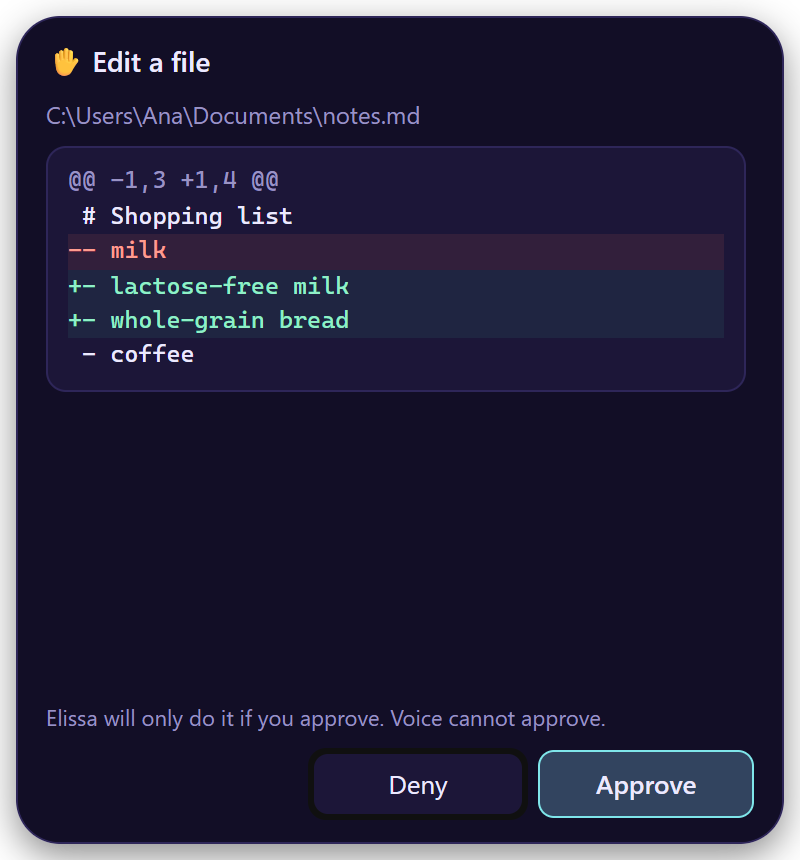
"Read the PDF I just downloaded" · "find the budget files" · "write a summary to notes.md" ✋
-
Timers, reminders, tasks
"5-minute timer" · "remind me at 3 pm to call Ana" · "add buy bread to my tasks"
-
Web
"Search the web for…" · "read this page" · "summarize this PDF"
-
Email
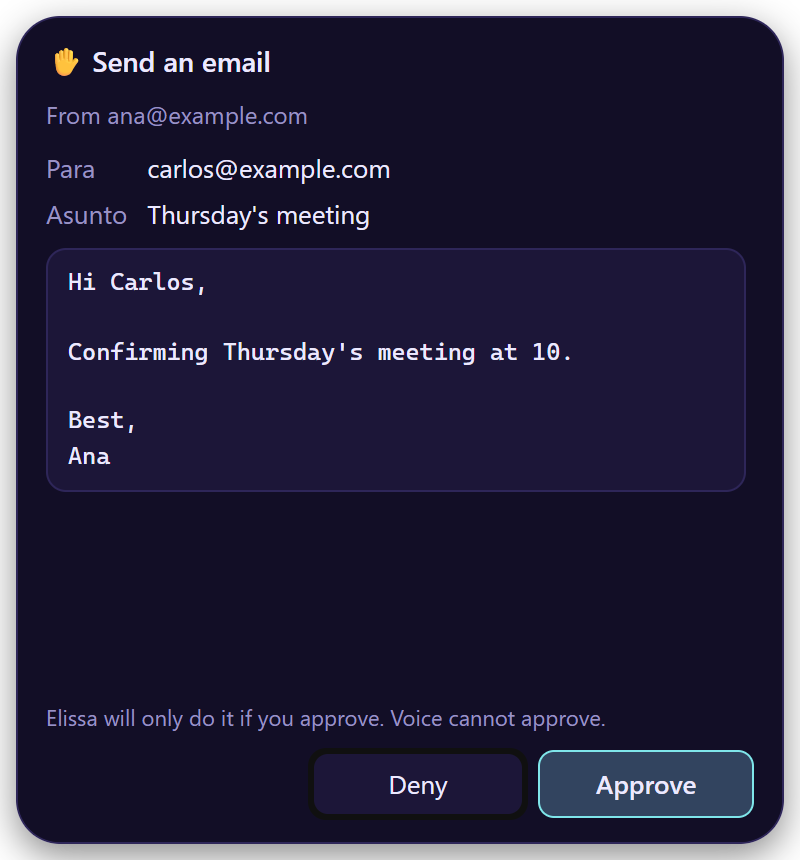
"Do I have emails from Ana?" · "save the attachments" · "reply that I'll be there at 5" ✋
-
Code
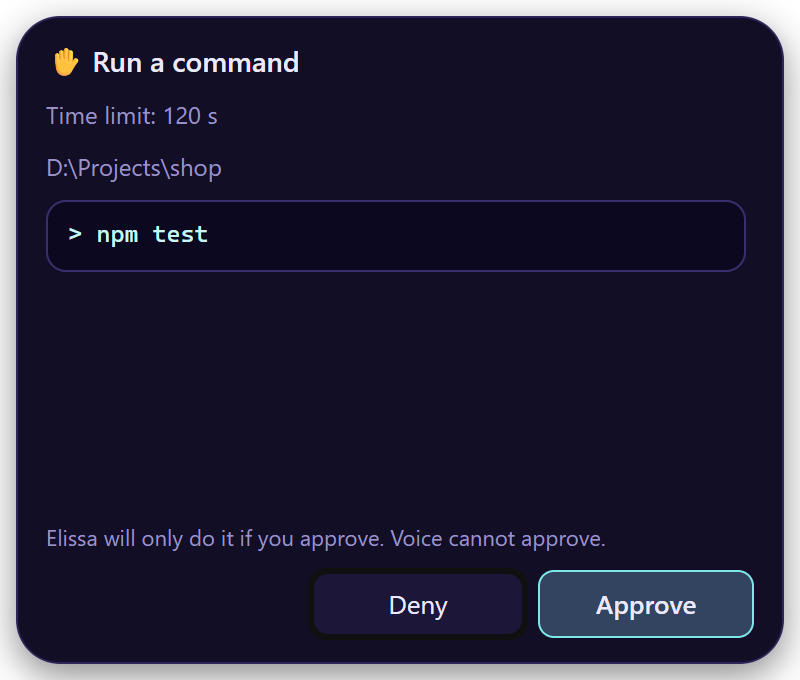
"What is this project?" · "what changed?" · "run the tests and fix the bug" ✋
-
Your computer (Windows, macOS)
"What is this?" · "switch to Excel" · "click Save" ✋ · "press Ctrl+S" ✋
-
Memory
"Remember that I prefer morning meetings" · "what did we talk about yesterday?"
-
Integrations
"My open GitHub issues?" · "create a Jira ticket for…" ✋ · "what's on my calendar tomorrow?"
What the ✋ cards look like
Good to know
- Music: playing what you ask for needs Spotify connected. Pause and skip work with any player on Windows and Linux, with Spotify and Music on macOS.
- Your computer: Windows and macOS.
- Email needs Email turned on.
- Never: she doesn't delete files or email, open programs or scripts, or read password fields. Commands that delete or discard work are refused, even if you ask.
- Reminders show a notification, and she says them out loud.