Settings
Open them with in Elissa's window or from the tray icon. Changes save on their own. Sections that don't apply to your system don't show up.
General and AI
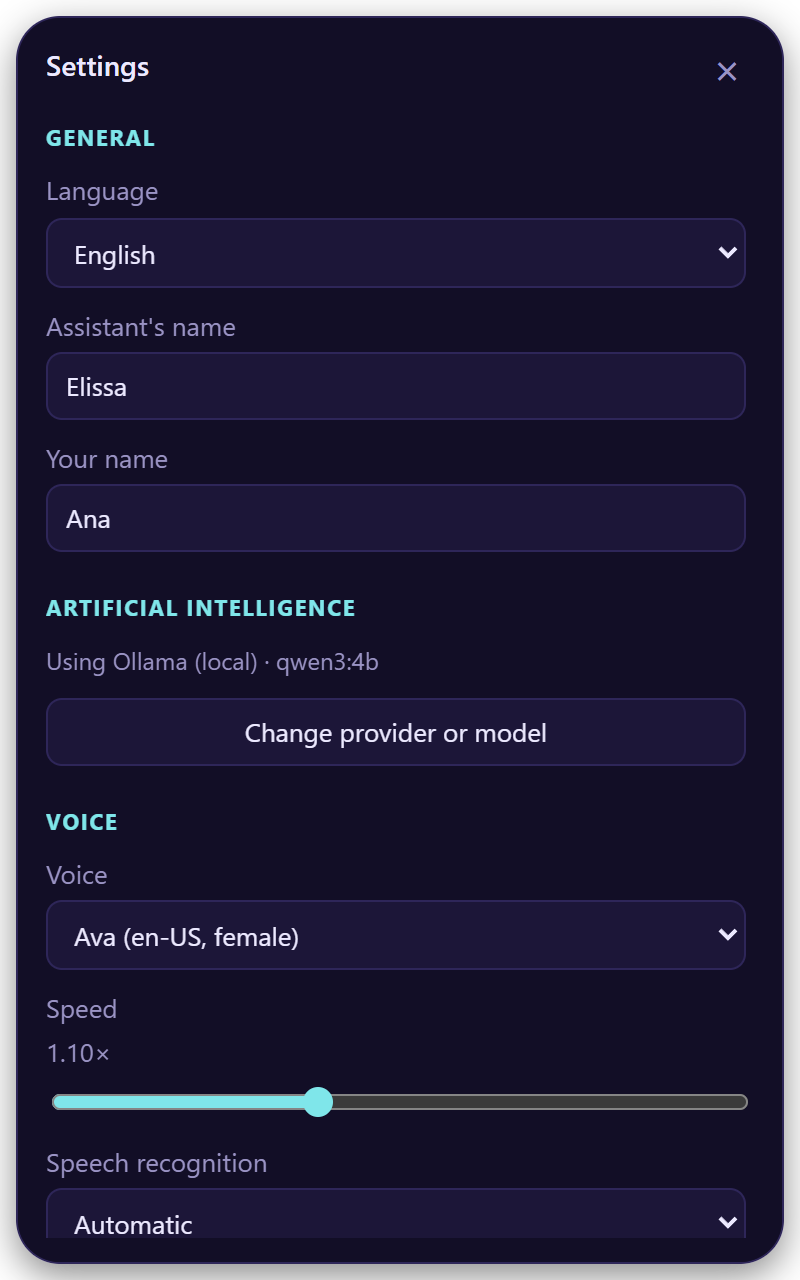
- Language: Spanish or English, or automatic.
- Assistant's name and your name.
- Artificial intelligence: shows the provider and model in use. Change provider or model opens the setup again.
Voice
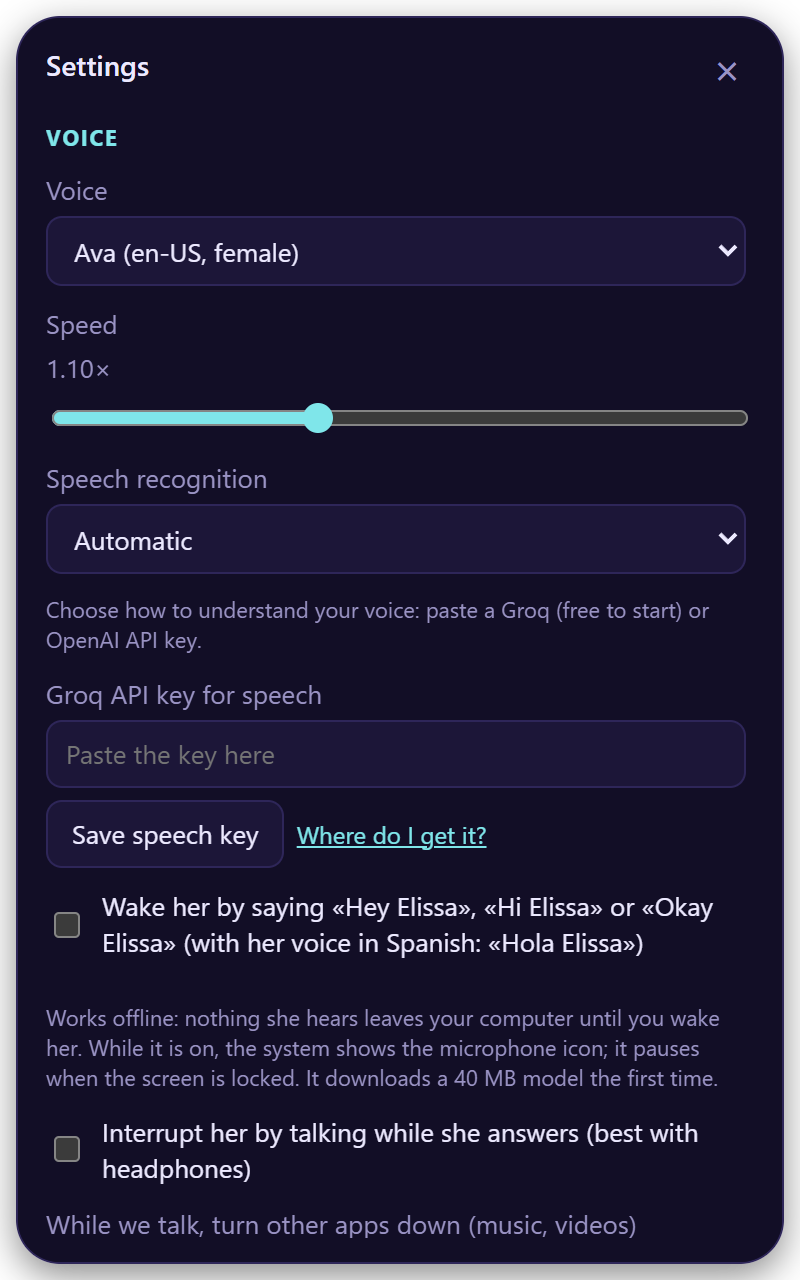
- Voice and Speed (0.8× to 1.6×).
- Speech recognition: how she understands you (details).
- Wake her by saying…: "Hey Elissa", offline.
- Interrupt her by talking: best with headphones.
- Shortcut to talk: click it and press your combination.
All voice options
| Option | Default | Notes |
|---|---|---|
| Voice | Salomé (es) / Ava (en) | Natural Edge voices, plus offline system voices |
| Speed | 1.10× | 0.8× to 1.6× |
| Speech recognition | Automatic | Groq, OpenAI, On your PC, Your own server |
| Local model | Fast · 60 MB | Or More accurate · 190 MB. Only for On your PC |
| Wake her by saying… | Off | "Hola / Oye Elissa" with a Spanish voice; "Hey / Hi / Okay Elissa" with an English one. Downloads 40 MB once |
| Interrupt her by talking | Off | |
| Turn other apps down while we talk | 20 % | 10 %, 20 %, 35 % or not at all. On macOS, Spotify and Music |
| Continuous conversation | On | She listens again after each answer |
| Always on top | On | |
| Start with the system | — | |
| Shortcut to talk | Ctrl+Alt+Space | Must include Ctrl, Alt or the Windows/Command key |
Sounds
- Elissa's sounds on or off, and their volume.
- Your own sounds: choose Open sounds folder, drop a
.wav,.mp3,.oggor.m4anamed like the sound you want to replace (listen,done,greet,error,approval…) and choose Reload.
Email
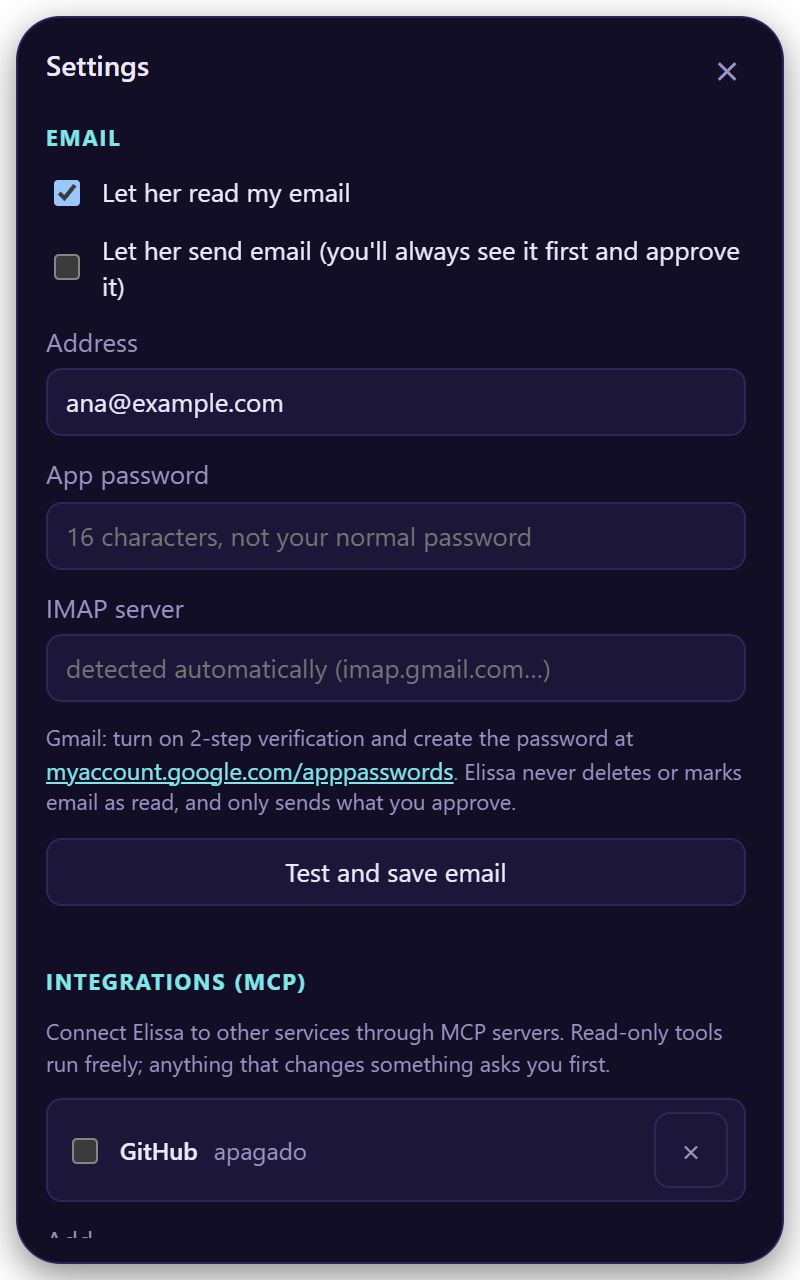
- Turn on Let her read my email (and Let her send email if you want).
- Type your address and an app password, not your normal password.
- Test and save email.
The server is detected for Gmail, Outlook, Yahoo and iCloud. For Gmail, create the password at myaccount.google.com/apppasswords.
She never deletes email or marks it as read, and every email she sends is shown to you first.
Integrations (MCP)
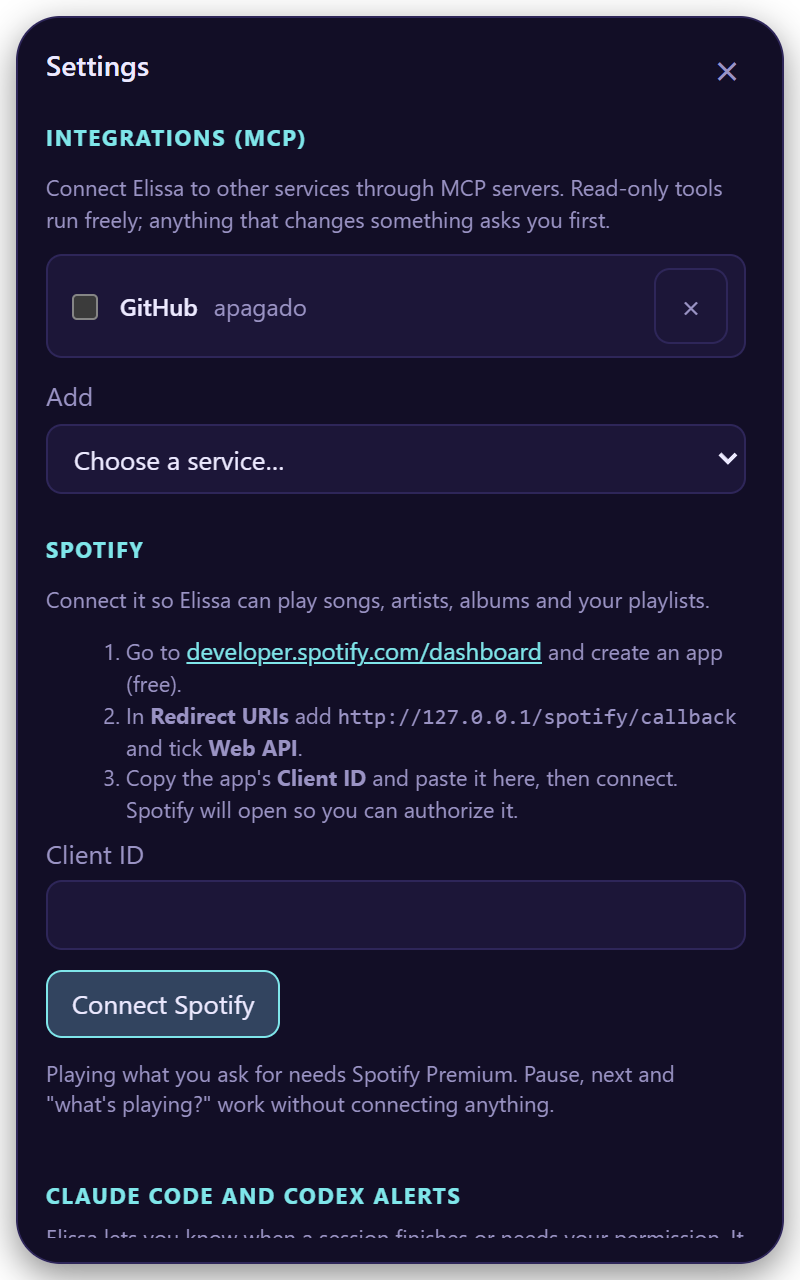
Pick one in Add:
| You need | |
|---|---|
| GitHub | A personal access token |
| Jira and Confluence | Node.js; you sign in in your browser |
| Google Calendar | Node.js and your Google Cloud OAuth file |
| Other MCP server… | Its URL or command |
Reading runs freely; changing data asks first.
Warning
Only add servers you trust: a local one is a program running on your computer.
Spotify
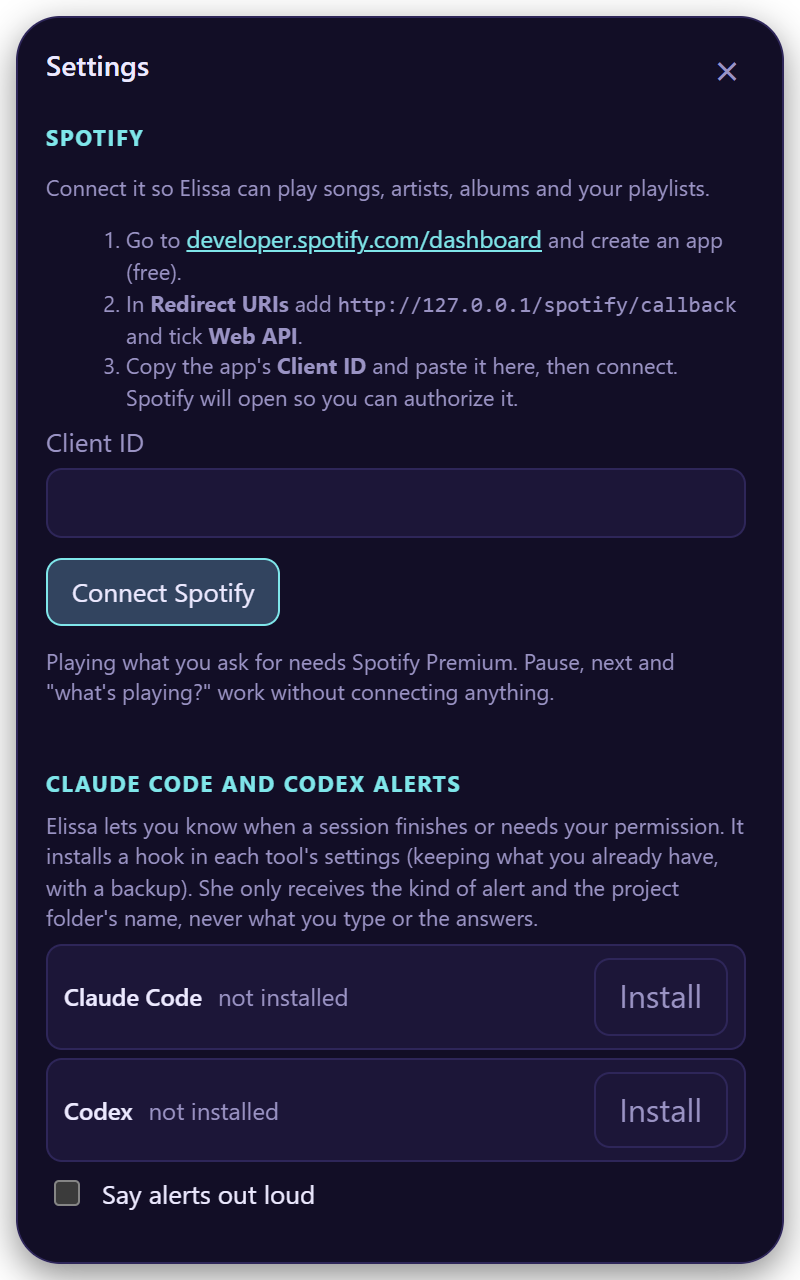
- Create a free app at developer.spotify.com/dashboard.
- Add the Redirect URI
http://127.0.0.1/spotify/callbackand tick Web API. - Paste its Client ID and Connect Spotify.
Playing what you ask for needs Spotify Premium. Pause, next and "what's playing?" work without connecting.
Claude Code and Codex alerts
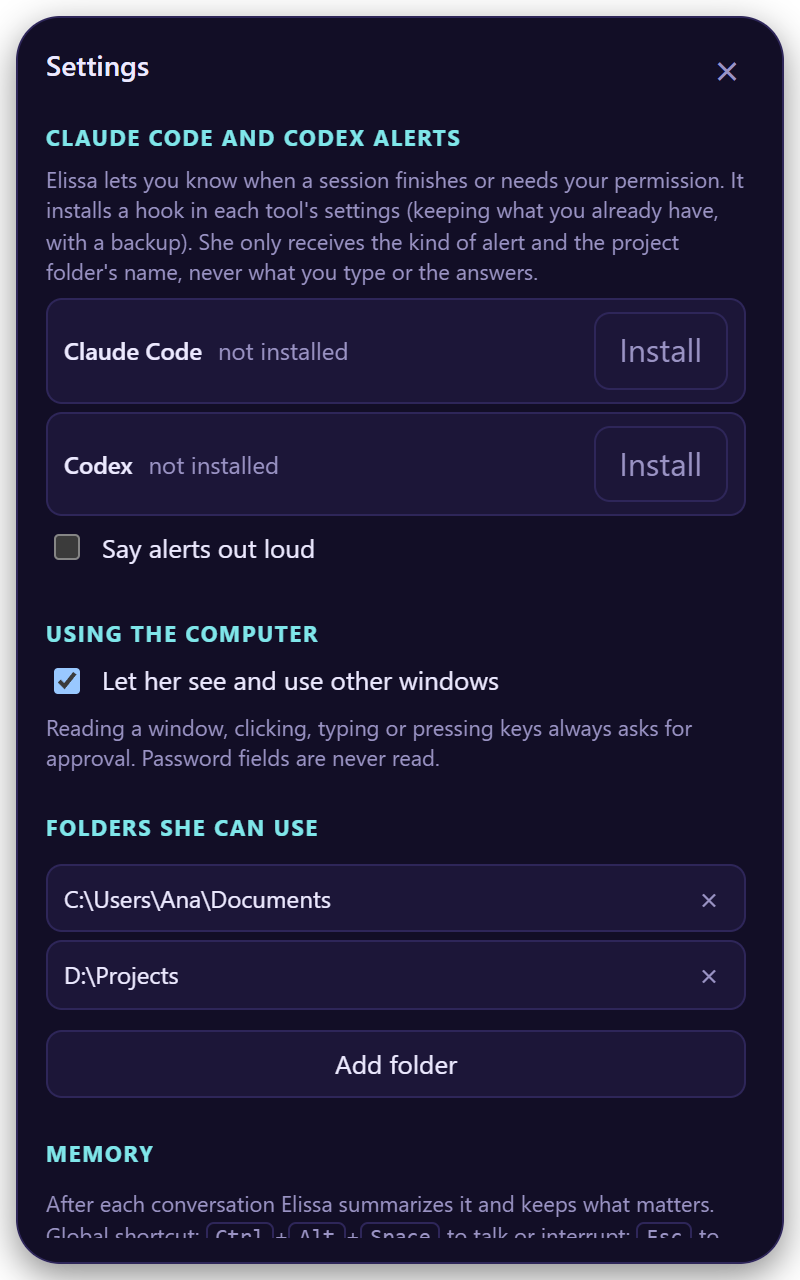
Choose Install and Elissa tells you when a session finishes or needs your permission.
- It keeps your settings and saves a backup (
*.elissa-backup). - In Codex, approve it once with
/hooks. - It only sends the kind of alert and the project's name.
Using the computer
Windows and macOS. Let her see and use other windows: read the window you're in, click, type and press keys, always with your approval. Password fields are never read. On macOS, allow Elissa in Accessibility when she asks.
Folders she can use
Where she can find, read and write files. Your home folder by default; Add folder for more. Files you drop on her work from anywhere.
Memory
New conversation starts over. Each conversation is summarized into notes she can recall later. The bottom of the panel shows your version and Update now when there's a new one.